📚 本文是《嵌入式 Linux 应用开发学习笔记》系列第 02 / 7 篇:环境搭建与开发板操作。返回系列目录。
第三篇 环境搭建与开发板操作
windows:
- filezilla:传文件到ubuntu
- mobaxterm:远程操作ubuntu,操作开发板串口
ubuntu:
- vmware运行ubuntu当做服务器
开发板:编辑编译运行
第2章 安装软件
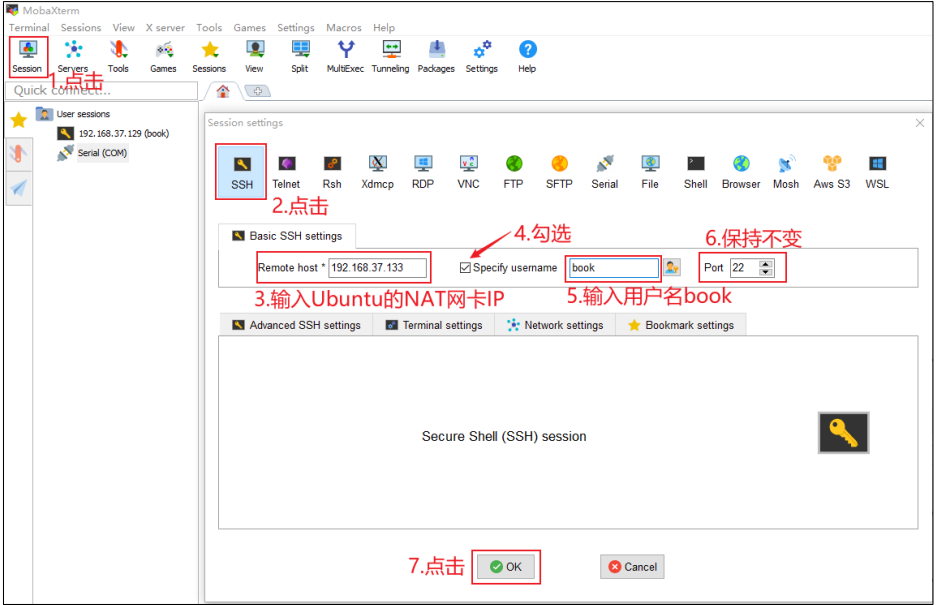
2.3MobaXterm 远程登录 Ubuntu
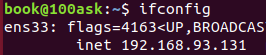
ubuntu命令ifconfig
ens33:为NAT网卡ip
2.4使用FileZilla
在Windows和ubuntu之间传文件

2.5Ubuntu上执行程序
touch hello.c
gedit hello.c
| |
gcc -o hello hello.c:编译
./hello:执行可执行文件
第3章 IMX6ULL开发板基本操作
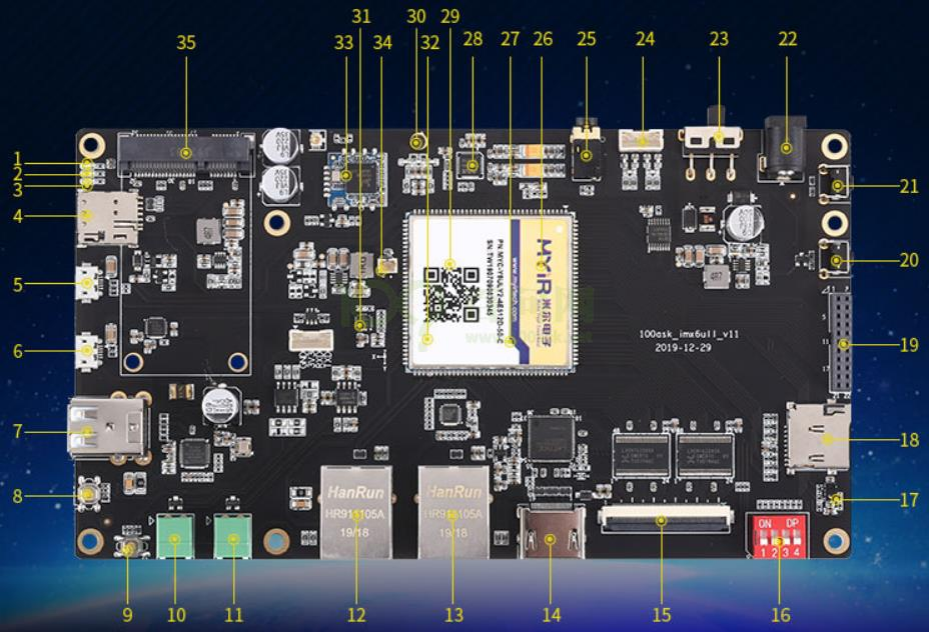
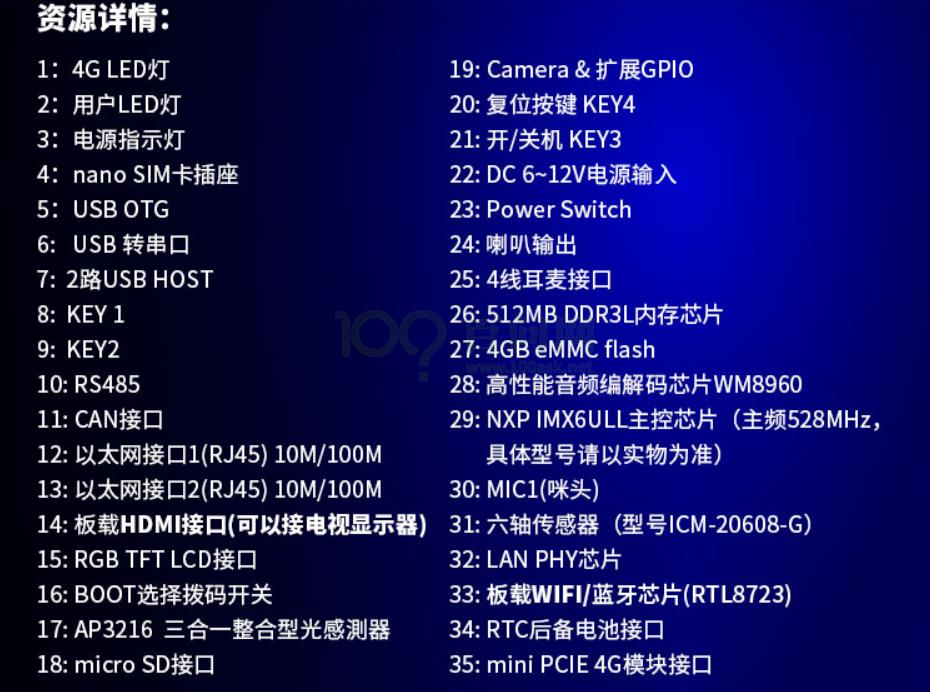
3.1开发板资源
3.4串口连接
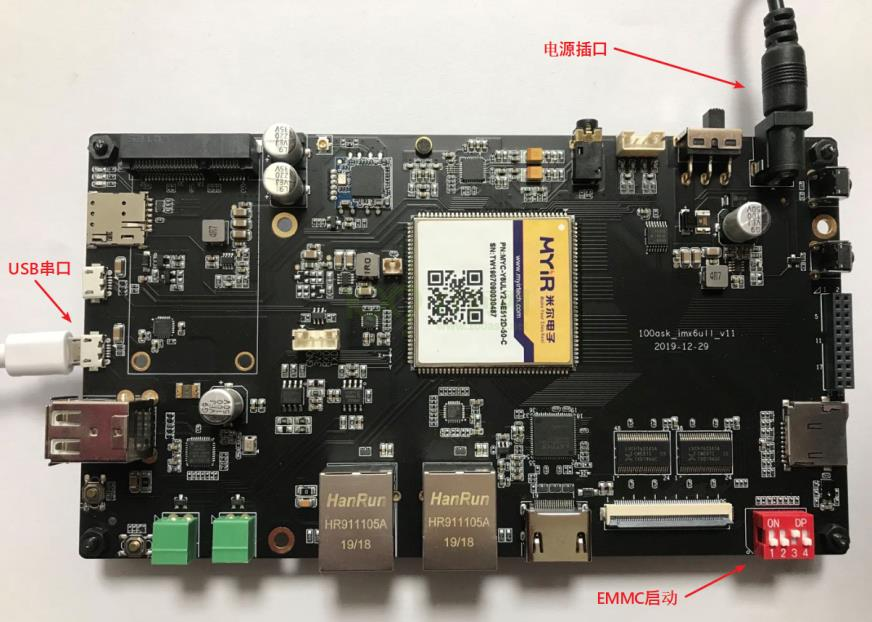
- 启动拨码EMMC启动
- 电源
- Windows安装串口驱动
3.4.1使用Mobaxterm打开串口
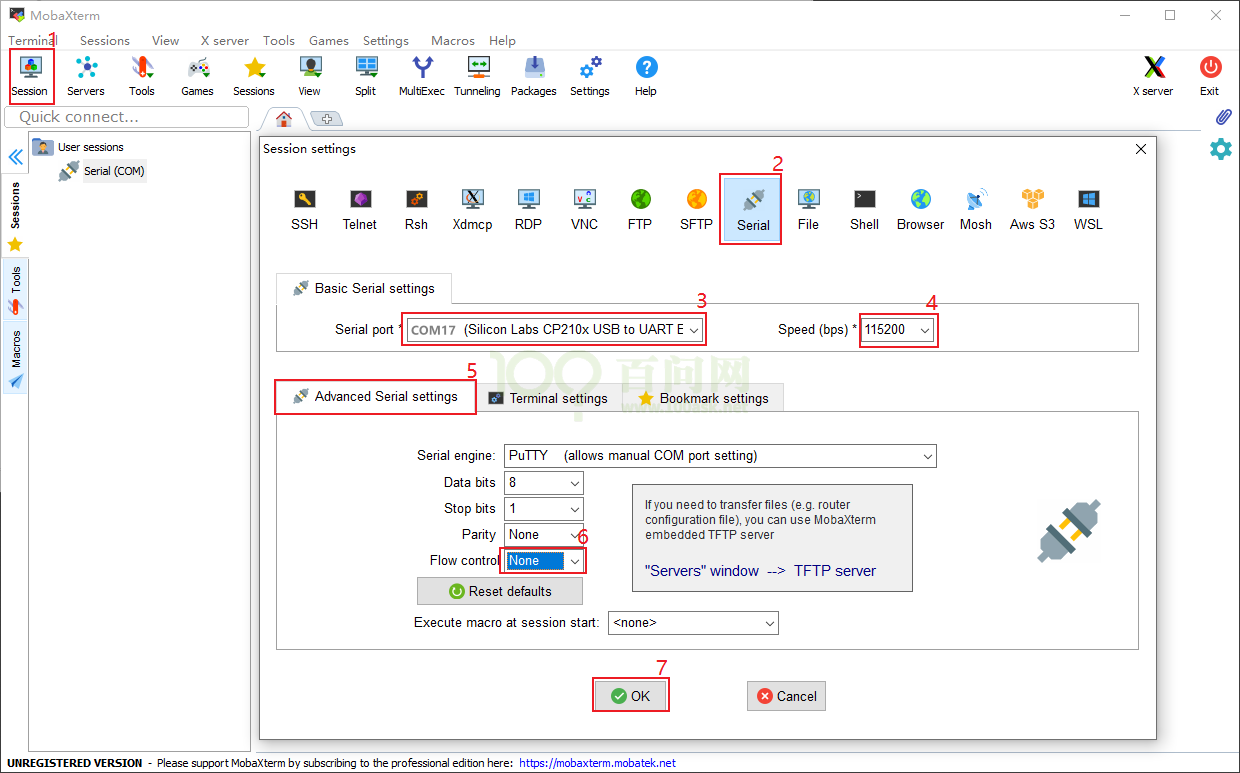
登录名:root
100ask login: root
3.6ADB替代NFS传输文件
3.6.1使用adb
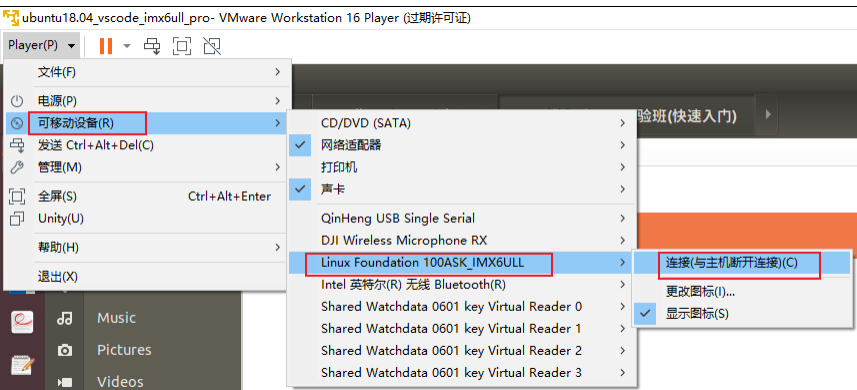
就可以在ubuntu上使用adb操作开发板
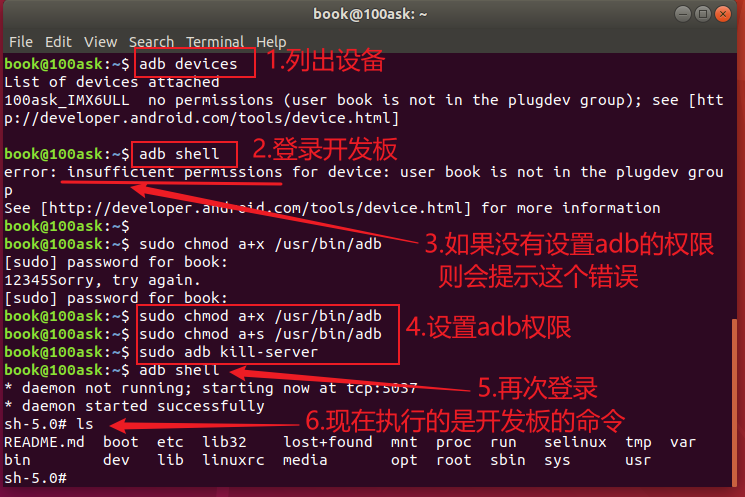
可以上传、下载开发板文件、目录
adb devices
adb push 1.txt /root # 把Ubuntu的文件放到开发板的/root目录
adb pull /root/1.txt 2.tx # 把开发板的/root/1.txt下载并改名为2.txt
adb shell # 登录开发板
第4章 开发板的第一个APP实验
4.1源码
| |
4.2编译
给ARM板的程序要使用交叉编译工具链编译
执行
arm-buildroot-linux-gnueabihf-gcc -o hello hello.c
4.3上传开发板运行
adb push hello /root
adb shell
./root/hello
第5章 开发板第一个驱动实验
5.1前提
为什么编译驱动程序前先编译内核?
- 驱动程序要用到内核文件
比如驱动程序包含#include <asm/io.h>,其中asm是链接文件,指向asm-arm或asm-mips,需要先配置、编译内核才会生成asm的链接文件
- 编译驱动时用的内核、开发板上运行到内核,要一致
- 更换板子上的内核后,板子上的其他驱动也要更换
流程:
- 配置编译内核、设备树、驱动
- 放到板子上
- 编译测试第一个驱动
5.2 编译内核
cd /home/book/100ask_imx6ull-sdk/Linux-4.9.88
make mrproper
make 100ask_imx6ull_defconfig
make zImage -j4
make dtbs
cp arch/arm/boot/zImage ~/nfs_rootfs
cp arch/arm/boot/dts/100ask_imx6ull-14x14.dtb ~/nfs_rootfs/
5.3编译内核模块
make modules
make ARCH=arm INSTALL_MOD_PATH=/home/book/nfs_rootfs modules_install
5.4安装内核和模块到开发板
cd /home/book/nfs_rootfs
adb push zImage /boot
adb push 100ask_imx6ull-14x14.dtb /boot
adb push lib/modules /lib
最后,在开发板上执行“sync”命令,再重启开发板,它就使用新的 zImage、dtb、模块了。
5.5编译led驱动
01_all_series_quickstart\05_嵌入式Linux驱动开发基础知识\source\01_hello_drv
上传到/home/book/nfs_rootfs

修改Makefile指定内核源码/home/book/100ask_imx6ull-sdk/Linux-4.9.88

编译make,将这两个上传到开发板目录

adb push hello_drv.ko /root
adb push hello_drv_test /root
5.6安装驱动模块
insmod hello_drv.ko
lsmod:查看安装的模块

5.7执行测试模块
先看看有没有设备ls /dev

